
Local businesses
Customers of a local business ask the same questions again and again. Unspar turns those questions into blog posts for people in your area.
All docs pages
Writing a short post for each common customer question helps people out and shows you know your trade. With Unspar, you type in the question, and it researches the topic and writes a post for people in your area in plain language. Your part is to pick the questions and read each post before it goes on your website.
Set up a project for your business
A project represents your website in Unspar and holds what it should know about your business.
- Open Projects and choose New project.
- Enter your website’s address and choose Create project. Unspar suggests the language based on your home page.
- In the project’s More actions menu (⋮), choose Edit.
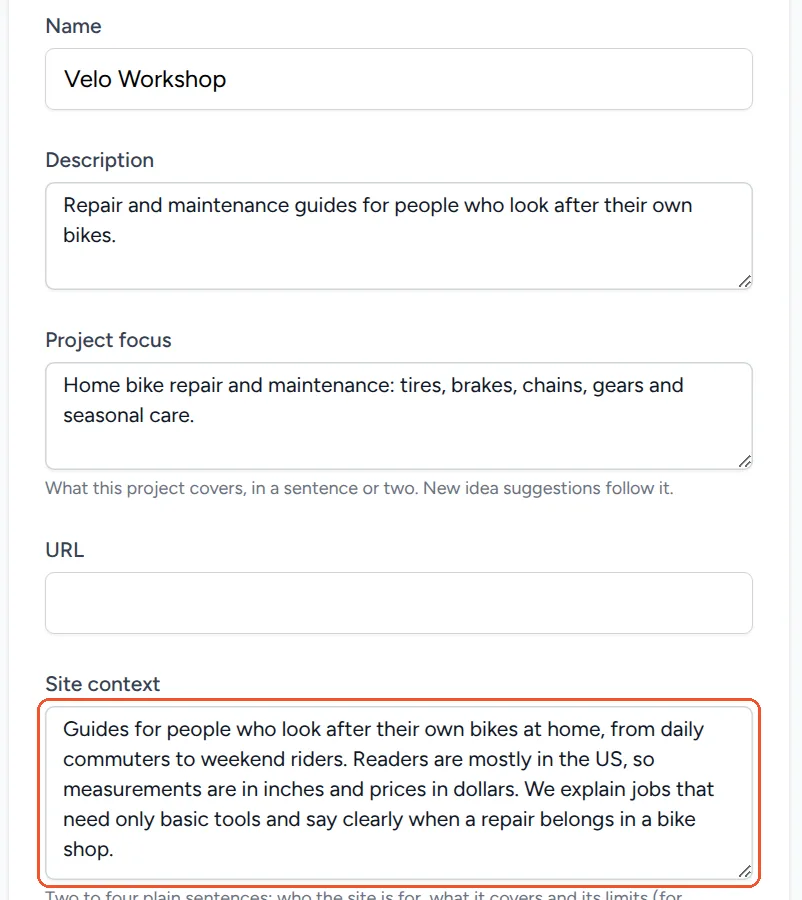
- Write a few sentences in Site context and choose Save.
Your site context tells Unspar who you work for and where, and the area also guides its web research. Here is an example:
Guides for homeowners and landlords in Bristol and North Somerset with a heating or plumbing problem. Prices are in pounds. Articles never tell readers to open or repair a gas boiler themselves.
Unspar doesn’t know your prices or opening hours, so add them here if you want posts to mention them. See Projects and site context.
Pick the template and the voice
A template is the recipe for a particular kind of article. Keep the project’s default, General Guide, which writes plain, helpful guides. The built-in Local Area Guide sounds like a fit, but it writes neighborhood overviews for people thinking about moving somewhere. See Choosing a template.
A voice sets how your posts sound. Pick Friendly Explainer under Writing voice on the project’s Edit page so technical terms are explained in plain words. If you already have 2,000 words or more of your own writing on your site, you can use the Your site voice card on the project page to build a voice from it instead. See Voices.
Get the posts onto your website
An outlet is where Unspar publishes your posts. If your site runs on WordPress, connect it under Outlets so posts go straight onto your site. See WordPress.
Unspar can’t publish directly to Wix or Squarespace. Instead, you can email the posts to whoever updates your site:
- Open Outlets and choose New outlet.
- Choose the Email card and enter the address under To recipients.
- Choose Send test email, then Create outlet.
Each post you publish arrives in that inbox along with its pictures, and a post sent by email counts as published. See Outlets and publishing.
Keep in mind that Unspar only writes blog posts. It doesn’t post to your Google Business Profile.
Write a month of posts at once
A batch lets you start several posts from a single list. Project Auto writes at least one article a day, which is more than a local blog usually needs.
- Open the Create page, choose the Batch tab, and then Create new articles.
- Pick the project and the outlet.
- Under Rows, paste your questions, one per line.
- Choose Parse and review, check the prices, and choose Save & queue selected.
What to do when your boiler loses pressure
Why a radiator is cold at the top
How often a boiler needs a service
Leave out publish dates, because adding a date means you can’t ask for changes after reading. Look over each finished post and choose Request changes if a part is too technical. The first round of changes is free. See Create an article.
If you’re writing a post about rules or regulations, start it on its own so you can tick Check the facts. A batch can’t do that. See Research, sources and citations.
What it costs
An ordinary post costs 1 credit, so four posts a month cost 4 credits. Images add 1 credit each, and a post with Check the facts costs 2.
New accounts can get 10 free credits once, valid for 30 days. Register to try it. After that, Starter is the smallest plan at €49 a month with 50 credits, and unused credits roll over up to 150. See Credits and prices.
If you’d rather not handle this yourself, there’s Concierge. We write and publish the articles for you, and a person reads each one before it goes out. Ask for a quote on the contact page.
Last updated 25 November 2026. This page as Markdown: local-businesses.md
Try Unspar for free
Create a project, give it a topic and read the article before anything goes live.