
Projects
A project is one website in Unspar. It keeps the site's articles and the settings every new article starts from.
All docs pages
A project is one website in Unspar. It holds the articles and ideas for that site, along with the default settings for every new article, like language and length.
The most important setting is the site context, a few plain sentences about who reads your site. Unspar reads them before writing each article.
Create a project
Make one project per website. Projects are free, and you can create as many as you want. Every new account starts with one called My First Project. You only need a second project for the same site if part of it needs different settings, such as another language.
- Open Projects and choose New project.
- In the first field, type your website address or a few words about the project.
- Choose Preview setup. Unspar reads your home page and fills in Project name and Project focus. It also suggests the language. The preview is free.
- Check Default article language and Timezone.
- If you want a first list of topics for the site, check Generate ideas after creating the project. This costs 1 credit.
- Choose Create project.
Unspar opens the new project. If you checked the box, it opens Ideas instead, where your first ideas appear. See Project Auto and ideas. The site context isn’t on this form. You add it next on the Edit page.
Change the settings
- Open the project from Projects.
- Open the More actions menu (⋮) at the top right and choose Edit.
- Change what you need and choose Save. Unspar takes you back to the list of projects.
Changes apply to any articles you create after that.
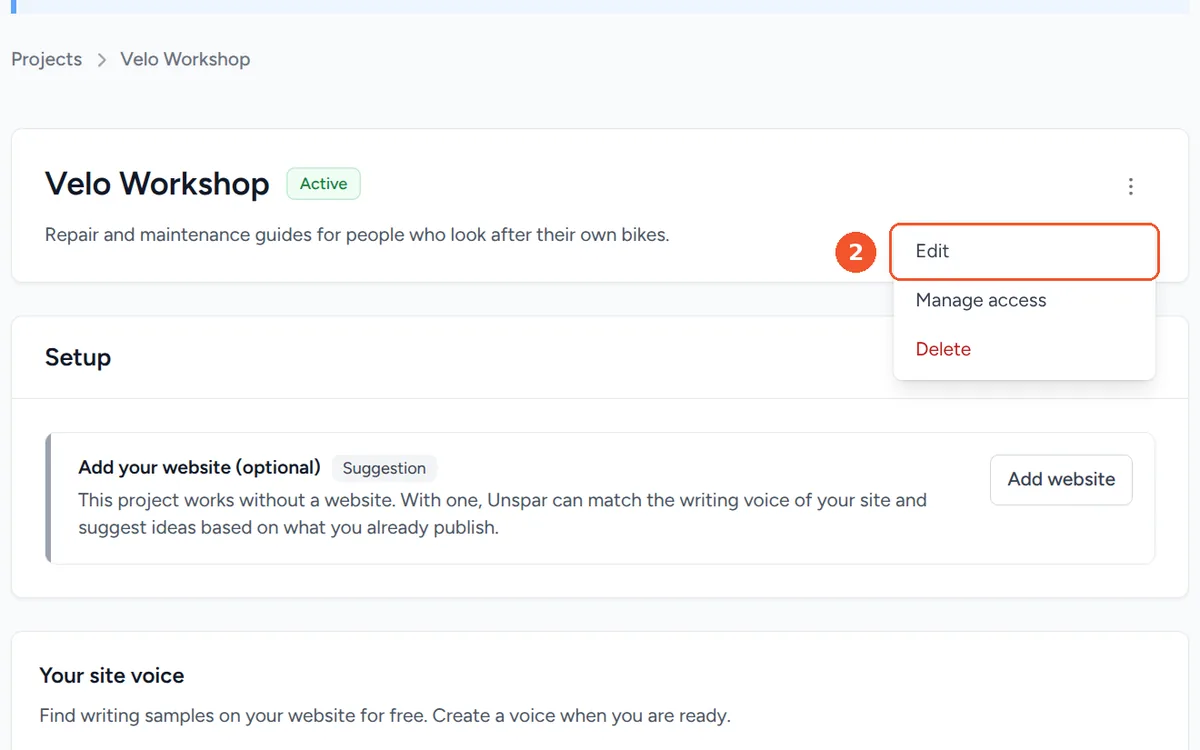
What goes into the site context?
Write two to four plain sentences in Site context. Say who reads the site and what it covers. You can also mention what the site doesn’t do.
Guides for people who repair their own bikes at home. Readers are in the UK, so prices are in pounds. We don’t recommend specific shops.
Put your readers and their region first. Unspar reads the full text when it writes, up to 5,000 characters, but its research only uses about the first 700.
Leave these out:
- Your writing style. The voice and the template decide how articles sound.
- The topic of a single article. That goes into Title or topic on the Create page.
- Keyword lists. They tell Unspar nothing about your readers.
If one article needs extra background, add it on the Create page under More options in Additional context. Unspar adds it below the site context for that article only.
Project focus looks similar, but it does something else. It’s a sentence or two about the project’s topics, and Unspar only uses it when looking for ideas on its own, such as when Project Auto runs out of ideas. Description only appears under the project’s name.
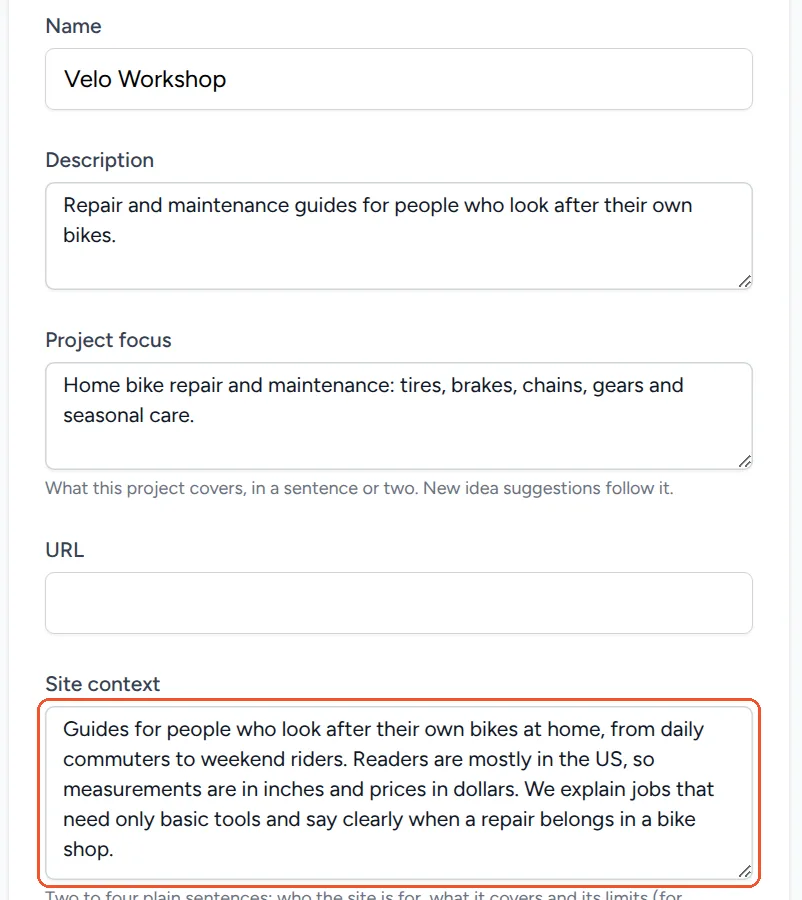
Which languages can Unspar write in?
Unspar writes in four languages, each with a few regional versions.
| Language | Regional versions |
|---|---|
| English | US, UK, Australia, Canada |
| German | Germany, Austria, Switzerland |
| Spanish | Spain, Mexico, Argentina |
| French | France, Canada, Belgium, Switzerland |
The app lists them as English (US), German (Austria), and so on. Other languages aren’t available.
Default article language sets the language for new articles in the project. The regional version tells Unspar where your readers are, so several templates search the web from that country. Currency and local law still belong in the site context.
For a single article, you can pick another Language on the Create page under More options. If you regularly write in two languages, use one project per language. To translate articles you already have, see Translations.
Formal or informal “you”?
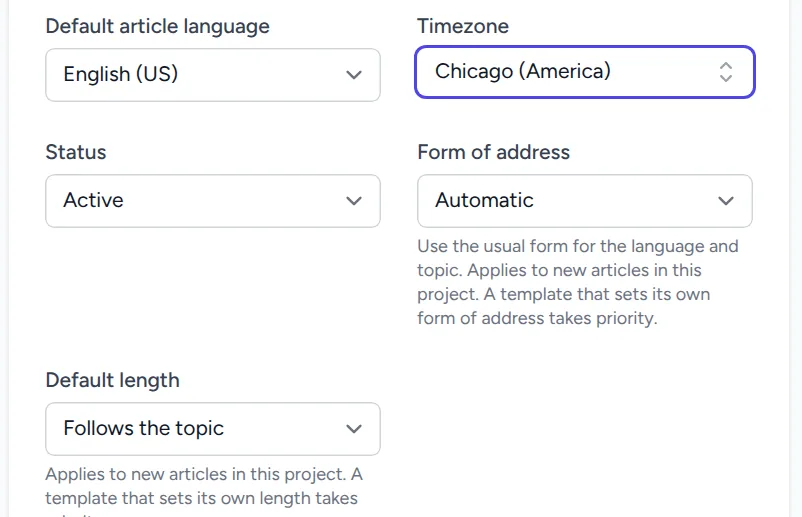
German, French, and Spanish have both a formal and an informal way to address the reader. Form of address decides which one your articles use.
| Option | German | French | Spanish |
|---|---|---|---|
| Formal | Sie | vous | usted |
| Informal | du | tu | tú |
Automatic uses the usual form for the language and the topic.
A new project in German, French, or Spanish starts on Formal. If you switch an existing project to one of these languages, the form of address doesn’t change automatically, so you’ll need to set it yourself. For English, leave it on Automatic. If a template sets its own form of address, that overrides this setting.
How long will the articles be?
Default length sets a target length for new articles. Longer articles cost more. Here are the prices with the default template, General Guide.
| Default length | Price |
|---|---|
| Follows the topic | Unspar picks the length per topic. The Create page shows the price. |
| Concise (~1,000 words) or Standard (~2,000 words) | 1 credit |
| Detailed (~3,000 words) or Thorough (~5,000 words) | 4 credits |
| Long-form (~7,500 words) or Extended (~10,000 words) | 15 credits |
Leave it on Follows the topic unless your site needs fixed lengths. If a template sets its own length, that overrides this setting. See Credits and prices.
What do the other settings do?
- Timezone: publishing times use it, and Project Auto uses it to count articles per day. My First Project starts on UTC.
- Writing voice: controls how new articles sound. With “No project voice (use the template’s voice)”, the template decides. See Voices.
- Default article setup: the template new articles start from. New projects use General Guide. Project Auto has its own template setting. See Choosing a template.
- Images in the article: controls whether new articles get images. It’s off in a new project, and each image costs 1 credit. See Images.
- Publishing automation: sets the Default outlet and whether finished articles publish on their own. See Scheduling and auto-publish.
Pause or delete a project
Status can be Active, Paused, or Archived. Only an Active project works normally. When a project is Paused or Archived:
- Queued articles wait until the project is Active again.
- Its ideas disappear from the Ideas page.
- Project Auto pauses, and resumes on its own when the project is Active again.
To delete a project, open More actions and choose Delete. You can’t undo this. The project’s articles disappear from Unspar along with it, so download any you still need first. Articles already published on your site stay there. If you might need the project again, set it to Paused instead.
For AI agents
Set the site context once in the project. Don't repeat it in the --brief of each article. The default template, voice and outlet take ids from unspar templates list, unspar voices list and unspar outlets list. Languages are tags like en-US or de-AT.
unspar projects list
unspar projects show <project-id>
unspar projects create --name "My blog (German)" --language de-AT --timezone Europe/Vienna --context-file site-de.md
unspar projects update <project-id> --context-file site.md
unspar projects update <project-id> --address-form formal
unspar projects update <project-id> --target-word-count 0
unspar projects update <project-id> --default-template template:builtin:general_guide
unspar projects update <project-id> --default-voice voice:builtin:friendly_explainer
unspar projects update <project-id> --default-outlet <outlet-id>
unspar projects update <project-id> --internal-links-enabled=false
unspar projects update <project-id> --status paused
unspar articles create --project <project-id> --brief "How to fix a flat bike tyre" --language en-GB
unspar <command> --help lists each command's flags and output options. Install and login: the CLI docs.
Last updated 25 November 2026. This page as Markdown: projects-and-site-context.md
Try Unspar for free
Create a project, give it a topic and read the article before anything goes live.