
Founder and personal blogs
Unspar can learn how you write from texts you already published. It writes the articles for your blog in that voice, and you give it your opinions.
All docs pages
A blog under your own name has to sound like you and say what you think. Unspar learns your style from things you’ve already written and drafts each article in that voice. You bring the opinions and stories, and nothing goes live on your blog until you publish it.
Set up a project for your blog
In Unspar, a project represents your blog and holds its own settings and articles.
- Open Projects and choose New project.
- Enter your blog’s address and choose Create project. The new project opens.
- In the project’s More actions menu (⋮), choose Edit.
- Write the Site context and choose Save.
The site context describes who reads the blog and who writes it, like this:
Articles for owners of independent restaurants in the UK who want to waste less food. The author is a food waste consultant who worked as a head chef. Costs are in pounds.
Leave Project Auto off. It generates articles on its own, whereas on a personal blog you want to pick each topic yourself. Auto-publish completed articles is off by default in a new project, so nothing goes out until you publish it. See Projects and site context.
Keep articles in your voice
A voice is a short profile of how you write, covering details like sentence length and how often you say “I”.
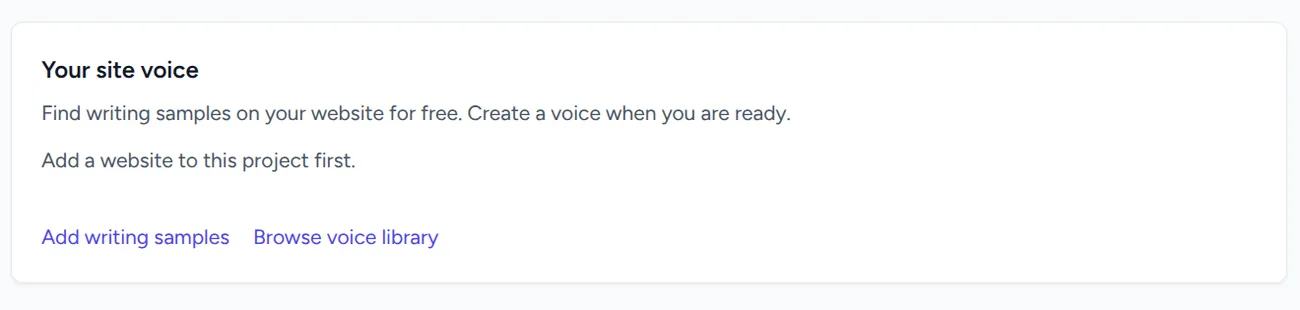
If your blog already has posts, use the Your site voice card on the project page. Find site articles (free) reads up to 8 articles. Create your site voice (free) builds the voice, and Use as project default applies it to all new articles. This needs at least 2,000 words of your writing.
If most of your writing lives somewhere else, like LinkedIn, paste it in:
- Open Voices and choose New voice.
- Paste your texts into Pasted writing samples. 300 words is enough to start.
- Choose Create voice (5 credits). The new voice opens as a draft.
- Read its Prompt-ready brief, which is the text the writer receives. Fix anything that’s off and choose Save.
- Choose Activate.
- On the project’s Edit page, pick the voice under Writing voice and choose Save.
If you don’t have enough writing yet, pick a built-in voice under Writing voice. Opinionated Blogger, for example, takes a side and writes in the first person. Unspar doesn’t build voices that imitate a known writer or publication. See Voices.
Pick the template
A template sets the structure for a specific kind of article. General Guide is the default and fits how-to posts. If you want to argue a point, pick Op-Ed in the Template field on the Manual tab of the Create page. Op-Ed is marked Experimental, so give those drafts an extra careful read. See Choosing a template.
Put your view into the article
Unspar doesn’t know your opinions or what happened in your work. You add those details per article, and Unspar uses them for that draft only.
- On the Create page, pick the project and type the topic into Title or topic.
- Open More options and write your view into Additional context, like “I think most waste starts with the Friday order.”
- Choose Queue article (1 credit).
Fix what doesn’t sound like you
You can’t edit the finished article directly. Instead, choose Request changes and explain what needs work, like “The second section sounds like a textbook.” The first round of changes is free, and each round after that costs 1 credit. See The article page.
When you’re happy with the draft, publish it to your blog through an outlet, which connects Unspar to your site. See Outlets and publishing.
What it costs
| What | Credits |
|---|---|
| Your team’s first site voice | 0 |
| A later site voice, or one from pasted samples | 5 |
| An ordinary article | 1 |
| A second or later round of changes | 1 |
Publishing one post a week takes about 4 credits a month. New accounts can get 10 free credits once, and they last 30 days. Register to try it. Starter costs €49 a month for 50 credits, and unused credits roll over up to 150. See Credits and prices.
Can Unspar post to LinkedIn?
No. You can generate a short LinkedIn post from a finished article under Create from this article, then copy and paste it to LinkedIn yourself.
Last updated 25 November 2026. This page as Markdown: founder-blogs.md
Try Unspar for free
Create a project, give it a topic and read the article before anything goes live.